Grow Horizontal Menu With Nice Font

Showing posts with label Photo edit. Show all posts

Sunday, March 3, 2013

PicaLoader 1.7.1 Portable | 6.43 Mb


PicaLoader 1.7.1 Portable
PicaLoader 1.7.1 Portable | 6.43 Mb

PicaLoader - Award-winning Picture Downloader for find, view, download and manage millions of pictures from the web easily. It is a useful utility that helps you find, download and organize pictures you find on the web. Very popular with digital artists, designers, photographers, webmasters, journalists and other people who need to quickly and efficiently get pictures form the web in large volumes. PicaLoader is a fully automated, multithreaded, link-following, picture-retrieving robot that will retrieve all the pictures you want from any part of the Internet. The program can also manage the downloaded pictures with a built-in thumbnail browser.

With the Advanced HTML Analyzing Engine, you can download any picture from the Internet, even the pictures linked by javascript, VBScript and JScript. Pictures can be filtered by size, color depth, definition, etc. with the High-powered, Pre-reading Picture Filter Engine. It can auto reject duplicate pictures, resume broken downloads, save every picture's name, size, create time, download time, referrer URL, and the picture's notes for you. You can use the built-in picture filter profile or define your own. With the built-in Promethean Pagination Thumbnail Browser, you can quickly and efficiently find, organize and preview pictures. You can sort, search, copy, or move the pictures you have downloaded, and even set a password for your project which may contain up to millions of pictures!

Key features:
- Multithread download, 50 max threads, the fatest picture downloader
- Resumes broken downloads
- HTTP proxy servers are supported (Include mostly NTLM proxy)
- Advanced HTML Analyst Engine, it can followed almost every links, include javascript, VBScript, JScript links and it is security against viruses and malicious scripts
- HTML Parser Script, Built-in script language, you can totally control the HTML parser process
- Advanced Picture Filters Engine, include several picture filter profile
- Search a sequence of pictures and to search a picture sequence by number, even if the picture is not visible in the target site
- You can Pause the download at any moment , and you can modify the pictures filter before you resume the download
- Save every picture's name, size, create time, download time, referrer URL, and the picture's notes for you
- Promethean Pagination Thumbnail Browser, quickly load thumbnails, expediently navigate between pages. Manage million of pictures quick and easy
- When you downloading pictures, the new pictures can add to browser immediately
- You can sort pictures by rating, name, size, width, height, time, notes, referrer URL, width*height, etc.
- You can search pictures by name, size, width, height, time, notes, referrer URL ,etc, and display search result in thumbnail browser
- Can select pictures between different pages, and copy, move, delete these selected pictures
- Set picture as Windows wallpaper
- Can set a password for your project, others can't open your project without your password
- Preview pane, to view current selected picture
- Full screen viewer, shrink images to fit the screen or view them full-size. View and scroll through full-size images quickly, can also flip/rotate/mirror picture
- Slide Show, can display a sequence of pictures as a slide show, each picture being shown in the Full screen mode for a predetermined time

Home Page - www.picaloader.com


Saturday, March 2, 2013

PIXresizer 2.0.6 + Portable | 3.05/5.22 Mb


PIXresizer 2.0.6 + Portable


PIXresizer 2.0.6 + Portable | 3.05/5.22 Mb


PIXresizer is a photo resizing program to easily create web and e-mail friendly versions of your images with reduced file sizes. The reduced files are saved in a different folder, so your original images are not altered at all. PIXresizer offers several different resizing methods to choose from and can automatically recognize image sizes to calculate the best fit.

In addition, it can convert between image formats (JPEG, GIF, BMP, PNG and TIFF), rotate images, convert to grayscale and resize multiple images in batch mode. A great companion for webmasters and digital photographers.

DownLoad
PIXresizer 2.0.6
Letitbit
Turbobit

PIXresizer 2.0.6 Portable
Letitbit
Turbobit

Wednesday, February 27, 2013

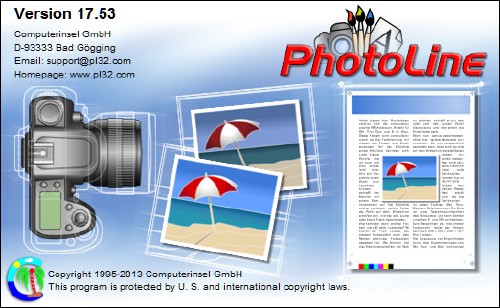
PhotoLine 17.53 | 18.6 Mb


PhotoLine 17.53

PhotoLine 17.53 | 18.6 Mb

PhotoLine is a full featured image editor with support for text, vector and image layers. In addition to the standard editing features, it supports 16 bits per channel, CMYK and Lab as well as color management with ICC profiles. The include image browser supports IPTC and EXIF data display and editing, batch conversion, HTML gallery output, batch renaming and more.

Professional image processing - In spite of its low price PhotoLine 32 offers every function needed for professional image processing: 16 bit per color channel; CMYK and Lab color space; Color management with ICC profiles. Lossless image processing - Lossless image processing is made possible by adding functions to an image without changing the original data. This way we loose no information and have access to the unmodified image data every time we want to.

PhotoLine offers every function for working with digital photos, such as: PhotoLine can import the raw image data - the so-called raw-files - of nearly every digital camera. In addition, PhotoLine 32 offers many functions for enhancing photos: Light/Shadow adjusts brightness errors. Connect Images can be used to combine two differently exposed photos to a single better one. White Point corrects the white point of an image automatically or manually. The Color Temperature can be set or adjusted. Chromatic Aberration corrects color distortions at edges. Image Noise reduces the color and brightness noise in an image. Red Eyes removes red pupils caused by the flash of the camera. Lenses Correction corrects the distortions caused by the curvature of the lenses. Perspective distortions can easily be fixed by using the layer tool or the rectangular lasso.

PhotoLine can save documents as PDF. On doing that text and vector graphic is - if possible - not reduced to pixel graphics. On saving optionally all color information in a document can be converted to CMYK. PhotoLine can also import PDF files. The import keeps the structure of the document intact, this means, text is read as text layers and vector graphics is read as vector layers. PhotoLine is able to work with documents containing more than one page. This allows the creation of booklets and flyers. In contrast to classic image processing PhotoLine can create empty pages (pages without a background image) which can be used to place images, text and vector graphics.

Features:
16 bit per channel, support of CMYK and Lab
Color management with ICC profiles
Lossless imaging
Process digital photos
Retouch, correct etc.
IPTC and EXIF data handling
Rotate images lossless
Rename images and create catalogues
Create HTML galleries
Add and edit keywords
Powerful search capabilities
"Real" PDF Import and Export (not just a big image)
Multipage documents
Calendar and barcode creation
Rich text functions
Create Flash and GIF animations
Web Export
Tile images, create buttons and image maps
Batch conversion
Create slideshows
Record actions
Print multipage documents, flyers and labels
USB-Stick support
Multiprocessor support

Home Page - www.pl32.com

Speedy Painter 2.3.6 + Portable | 3.61/3.76 Mb


Speedy Painter 2.3.6 + Portable


Speedy Painter 2.3.6 + Portable | 3.61/3.76 Mb


Speedy Painter is an OpenGL based painting software for Windows. It supports Wacom digitizers to vary size and opacity of brush strokes according to pen pressure.

Features:
Reference view that follows zoom! Available using the F3 key
Export drawing process into a video: ready to upload it on YouTube!
Multiple layers
Ability to vary stroke size and/or opacity according to pen pressure (supports Wacom digitizers)
Replay of drawing process
Import/export drawing process
Loading of most common image formats
Canvas rotation
Canvas flip
Selection mask

DownLoad
Speedy Painter 2.3.6
Letitbit
Turbobit

Speedy Painter 2.3.6 Portable
Letitbit
Turbobit

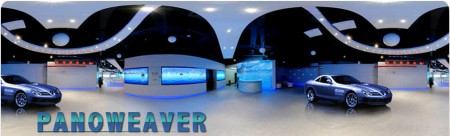
Easypano PanoWeaver Professional 8.40.130207 | 77 MB


Easypano PanoWeaver Professional 8.40.130207
Easypano PanoWeaver Professional 8.40.130207 | 77 MB

Panoweaver, the user-friendly panorama software, is not only a professional photo stitching tool but also a great Flash panorama publisher. The professional panorama software can automatically stitch any type of photo into high quality full 360 degree or partial panoramic image, supporting HDR creation and manual stitching by inserting matching points. With Easypano panorama software, you can save and print your favorite panoramic images as well as publish them into HTML 5 VR for viewing on your iPhone/iPad, Full screen html based Flash VR, Standalone SWF, QTVR and Java based VR after you've integrated hotspots, Google map, ect.

Main Features Of Panorama Software Include

Fisheye Photo Stitching
With Professional Edition and Batch Edition of panorama software Panoweaver, you can stitch fisheye images into full 360*180 spherical panoramic image with a few steps, offering you a shotcut to be a professional in panorama stitching. There are three types of fisheye image: full circular fisheye image, drum fisheye image and full frame fisheye image.

Normal & Wide-Angle Photo Stitching
You can take images with any device with camera and import them into panorama software Panoweaver to get full 360 or partial panoramic image. You can aslo stitch multi-row images for stitching high resolution panorama. Just make sure there are overlapped area among the adjacent images.

Panorama Publishing
Not only can you save your panoramic image for further editing in virtual tour software Tourweaver, you can publsih it with Easypano panorama software into a virtual tour with different formats as well. The most popular Flash and HTML 5 in addition to QTVR are all supported.

Little Planet Effect
The artistic little planet panorama is also one of main points of this professional panorama softwware. You will find it easy to get such artistic effect and convert between little planet panorama and normal view.

and much more ...

Monday, February 25, 2013

Image Resize Guide 1.4.1 Portable | 10.15 Mb


Image Resize Guide 1.4.1 Portable

Image Resize Guide 1.4.1 Portable | 10.15 Mb

Image Resize Guide - great program to change the dimensions and proportions of photos without distorting the important parts and to remove objects without visible traces. The program includes the following tools for zooming and removing objects: size, cut piece, Smart Remove, Smart size, patching. The program includes animated demo samples: a simple resize photos, resize photos and preservation facilities, easy removal, removal of a two-step, removing the protection, patching, ie animated demos that explain step by step how it is correctly done.

The program includes the following tools:
- Size - allows you to resize the image.
- Cut a piece - you can cut the image.
- Smart Remove - remove objects without visible traces.
- Smart Size - changes the image size while maintaining maximum information.
- Smart Patch - allows you to put a patch on the one area of ​​the image to another.

Photo Montage Guide 1.5.2 Portable | 11.09 Mb


Photo Montage Guide 1.5.2 Portable

Photo Montage Guide 1.5.2 Portable | 11.09 Mb

Photo Montage Guide - separates solid objects from an arbitrary background, applies background effects (filling, shadowing, blur, monochrome), allows transferring objects to another photo, makes a photomontage, allows you to change the size or aspect ratio of an image keeping the "important" features intact and remove objects from photo without visible traces.

This program offers the following tools:
- Resize - allows you to change the image size.
- Crop - allows you to cut out an area of an image.
- Text - designed for inscribing images.
- Separation - allows you to separate an object from its background and to store it for later transfer to another photo; applies background effects.
- Paste Object - pastes a separated image into another photo.
- Smart Remove - removes objects without visible traces.
- Smart Size - changes the image size removing "unnecessary" portions while keeping the "important" features intact.
- Smart Patch - allows to apply a patch from one area of an image to another.

Saturday, February 23, 2013

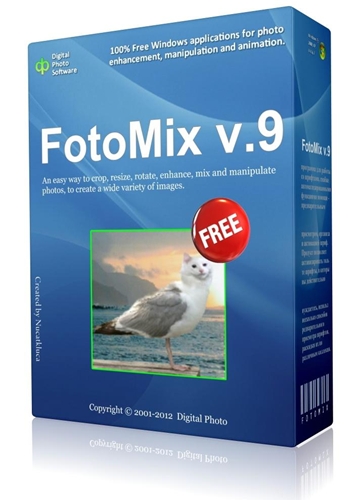
FotoMix 9.1.1 + Portable | 1.41/2.67 Mb


FotoMix 9.1.1 + Portable


FotoMix 9.1.1 + Portable | 1.41/2.67 Mb


The easiest way to mix and manipulate your photos. FotoMix is a versatile program that allows you to mix and manipulate different pictures, to create a wide variety of images. Remove, add or alter backgrounds. Add or remove your loved and not so loved ones from your pictures. Design eye-catching photo collages, illustrations, wallpapers, CD and DVD covers, and miscellaneous Web graphics. Create photo montages by combining multiple pictures into a unique heirloom depicting retrospectives of a birth, marriage, anniversary, etc. Anything is possible.

The result is so high in quality that it is almost impossible to tell if the photo has been manipulated. Once your creations are finished, you can print them, email them to friends or transfer them to T-shirts, mugs, alendars, etc. Make the most out of your photo collection! Play with it. Explore the possibilities. You will love it.

FotoMix is a versatile program that allows you to mix and manipulate different pictures, to create a wide variety of images.

Features:

# Remove, add or alter backgrounds.
# Add or remove your loved and not so loved ones from your pictures.
# Design eye-catching photo collages, illustrations, wallpapers, CD and DVD covers, and miscellaneous Web graphics.
# Create photo montages by combining multiple pictures into a unique heirloom depicting retrospectives of a birth, marriage, anniversary, etc. Anything is possible.

The result is so high in quality that it is almost impossible to tell if the photo has been manipulated. Once your creations are finished, you can print them, email them to friends or transfer them to T-shirts, mugs, calendars, etc. Make the most out of your photo collection! Play with it. Explore the possibilities. You will love it.

DownLoad
FotoMix 9.1.1
Letitbit
Turbobit

FotoMix 9.1.1 Portable
Letitbit
Turbobit

Monday, February 11, 2013

RepaintMyImage 1.1 Standalone (x86) | 1.8 Mb


RepaintMyImage 1.1 Standalone (x86)

RepaintMyImage 1.1 Standalone (x86) | 1.8 Mb

Repaint your photos, let them look painterly or like a cartoon. RepaintMyImage allows you to make your images painterly.

You can use 3 different algorithms:
Smudge - soft curly repainting
Repaint - hard edge repainting
Cartoonize - comic style

Home Page - www.adptools.com/en/repaintmyimage-description.html


http://rapidgator.net/file/77677800/RepaintMyImage_1.1_Standalone_(x86).rar.html

easyHDR PRO 2.30.4 Multilanguage | 8.9 MB


http://i53.fastpic.ru/big/2013/0210/fc/d755e82d316f590adaf1ba8cd4b39dfc.jpg

easyHDR PRO 2.30.4 Multilanguage | 8.9 MB


easyHDR Pro without question, produces much Better results than I was ever able to produce with Photomatix. Over the years I have tried a lot of editing programs. EasyHDR has outperformed them all. The results look more like what I saw with my own eyes when I snapped the shutter. The Best shadow detail, more natural looking color and accurate color, too! The results are like night and day to Photomatix. EasyHDR is more reasonably priced. And for the quality of the edited image, less costly than nearly all editing software.

Easier to use. Produces the finished edit in much less time. I have not found a program that will produce a better picture to print, of Landscapes, Nature & Wildlife, Portraits, Architectural and Interiors. Photomatix is just not this versatile. Considerable time has been spent making comparisons, as I feel it is my responsibility as a working photographer, to provide to my clients and customers, the Best Quality Image I can. And because I take pride my work, and I Enjoy photographing the Beauty that God has given us, and sharing these Joys with others!

Features:
* blend a sequence of photos taken at different exposure values into a High Dynamic Range (HDR) image
* tone map HDR image into an 8-bit per channel REALISTIC looking result that can be displayed on computer screen or printed
* align the input photos using manual-alignment feature (compensates for shift, scale, rotation and PERSPECTIVE) or...
...use auto-alignment feature, that compensates for shift as well as rotation
* adjust tone curve shape to fine-tune the contrast
* do post processing on the tone mapped result without any quantization losses - on floating point data (blur, sharpening, noise reduction, white balance, color tone adjust)
* convert and tone map RAW images from your digital camera
* load BMP, JPEG, 24/48/96-bit TIFF, FITS and Radiance RGBE file formats
* save as BMP, JPEG (without loosing EXIF headers), 24/48-bit TIFF or Radiance RGBE (.hdr)
* use batch processing option to automatically process tens of image sets without any user interaction
* language versions: English, polski, Espanol, Deutsch, Francais, ???????, Italiano, Portugues & Brazilian


OS : Windows XP/Vista/Win7/8
Language : Multilingual

Home Page - http://www.easyhdr.com/

http://i.imgur.com/Y4G2t.gif
Buy Premium To Support Me & Get Resumable Support & Max Speed